There are several reasons why you may want to disconnect your company file from EMB. You may have more than one company you'd like to convert, or you may want to cancel your current conversion.
Here are the steps to disconnect your file.
Note: Disconnecting your company file will cancel any conversion currently running so make sure this is an action you'd like to take.
- While logged in to our app, navigate to the hamburger menu in the top right corner
- Select Disconnect... from the menu options
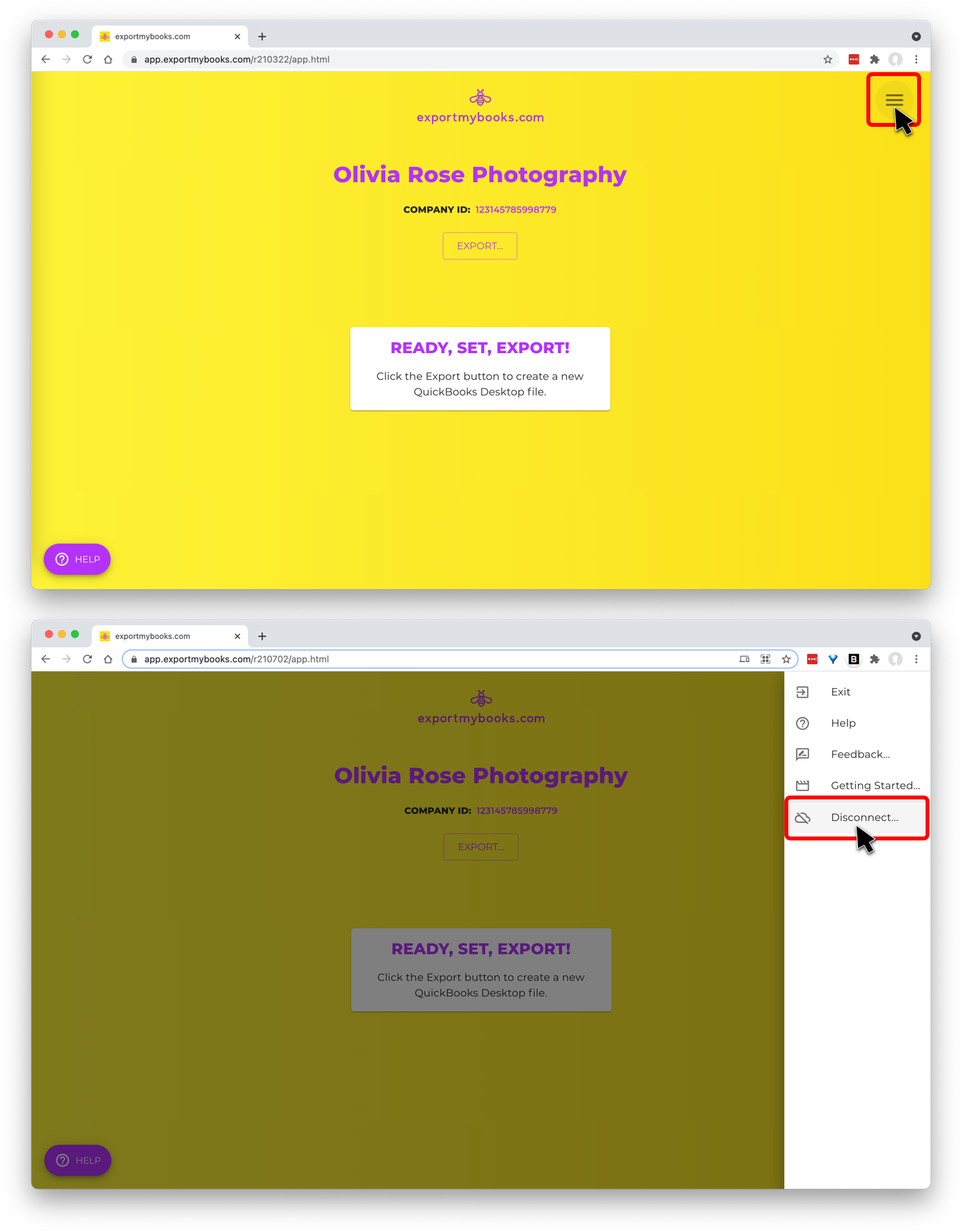
This will land you back at the Connect page where you can either log in with different QuickBooks Online credentials (if you'd like to convert a company file under a different Intuit account), log in with the same credentials (so that you can choose a different company file under that same Intuit account), or log back into the same company file (so that you can modify the export settings and rerun a conversion).