What is the Audit Report?
The Audit Report displays the accounts with balances in your QuickBooks Online and QuickBooks Desktop trial balance reports and will not display any accounts that have a zero balance.
The Conversion Errors section lists any specific transactions that could not convert.
How to Read the Audit Report
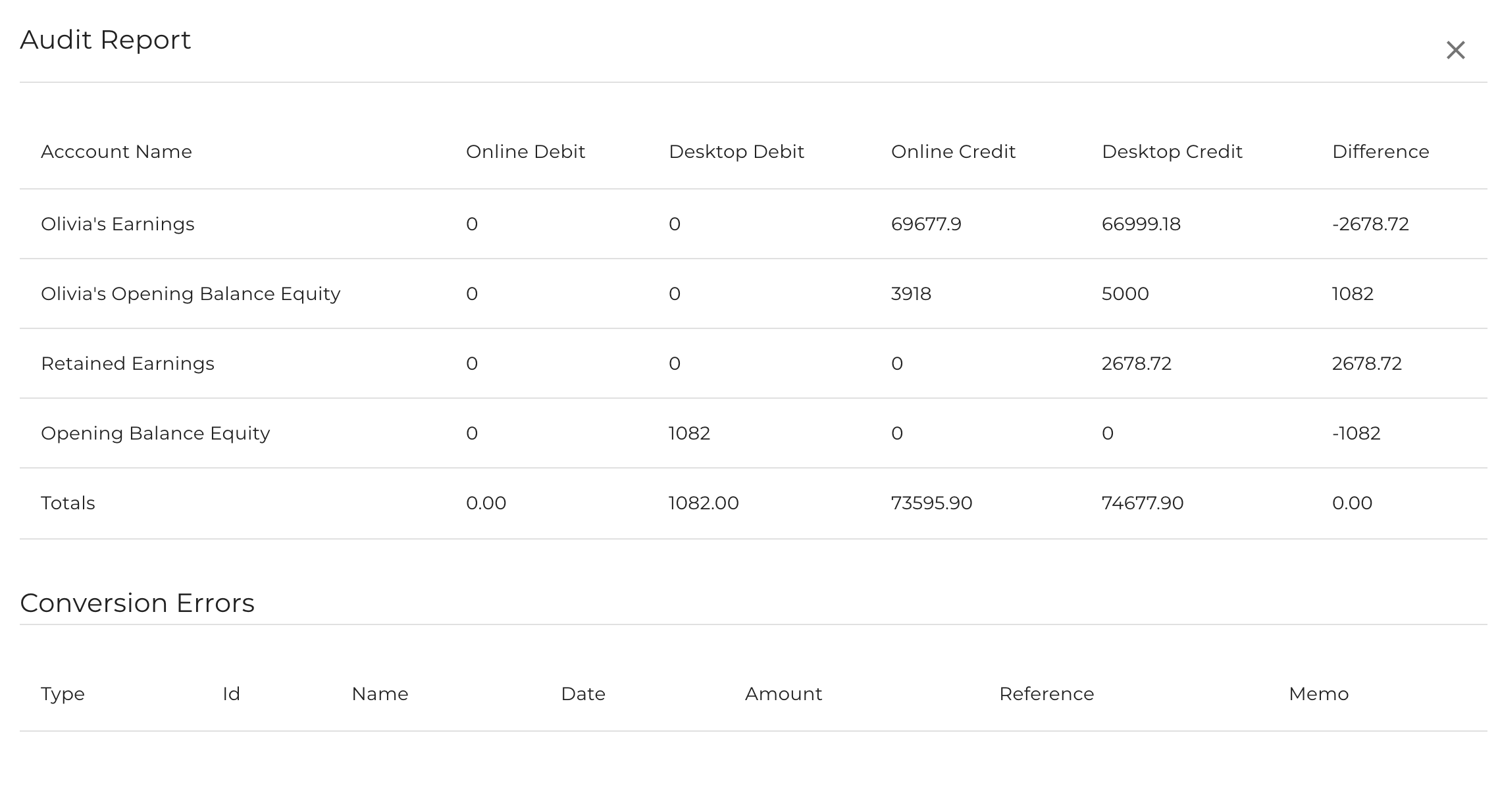
The audit report is provided so that you can view conversion errors (if there are any) and show you where we've mapped balances into accounts. Since QuickBooks Online and QuickBooks Desktop may have different accounts that are created/added as part of the conversion process, some accounts from QuickBooks Online will be converted to different account names in QuickBooks Desktop but should zero out.
It is not meant to be a balance sheet nor does it necessarily show all your accounts.
When reviewing the audit report, please find the matching account with the same or similar offsetting value so you know which accounts "match" up.
Conversion Errors
The conversion errors section displays transactions that did not convert over from QuickBooks Online so that you may manually add/fix those in Desktop.
Retained Earnings
The audit report may show two retained earnings accounts. One is from QuickBooks Online (which could be named differently - see the below screenshot where "Olivia's Earnings" is the retained earnings account in QuickBooks Online) and shows your retained earnings account balance at the time of conversion.
The second retained earnings account is the one that's created in QuickBooks Desktop as part of the conversion process. Generally, these two accounts will balance out (as in the example) and should be merged in Desktop so that you will only see one retained earnings account. Learn how to merge the two retained earning accounts here.
What if my Audit Report is completely empty?
This could indicate an empty file. Please visit this article to learn more.