If you are not seeing data in your restored file or the converted file is empty, it is likely due to one of the following reasons:
- The QuickBooks Online account is inactive. We are only able to connect and pull data from current and active QuickBooks Online accounts. Please reactivate your QuickBooks Online account and connect to the correct company file.
- You have QuickBooks Online Self-Employed. The QuickBooks Online Self-Employed version is not supported and is inaccessible for conversion.
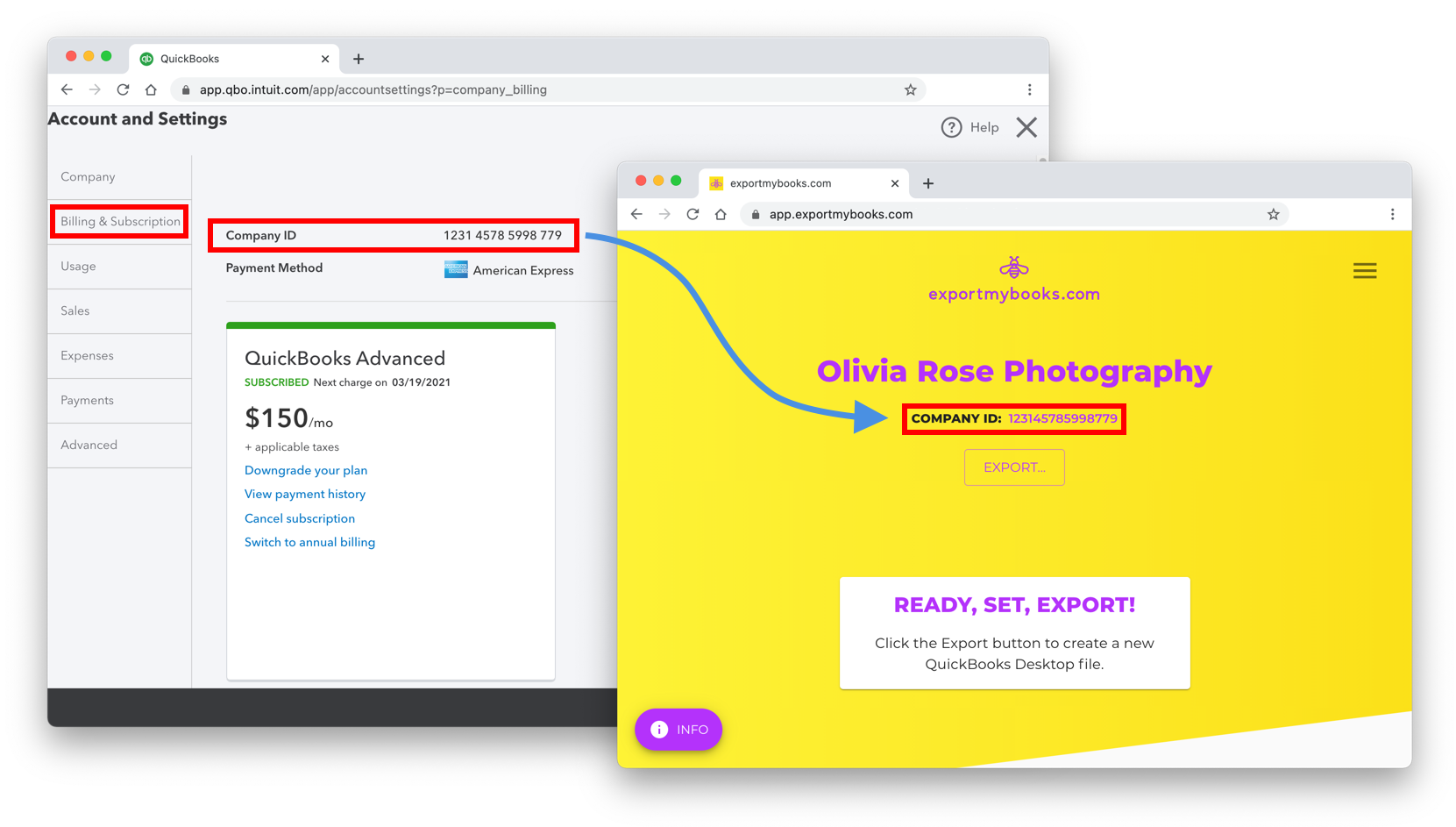
- The connected QuickBooks Online company file is not the correct company file you intend to convert. For customers with multiple company files, you may have accidentally selected a different company file, or created a new company by mistake. To verify that you have connected the correct company to EMB, check whether the company ID shown at the top of the exportmybooks.com app exac
tly matches the QuickBooks Online company ID for the company you are trying to convert. You can find the QuickBooks Online company ID by navigating to Settings > Account and Settings > Billing and Subscription.